When the Tax Agency arrives, the ledger must come out immediately – not after fifteen minutes at a computer.
How to do it
- 1
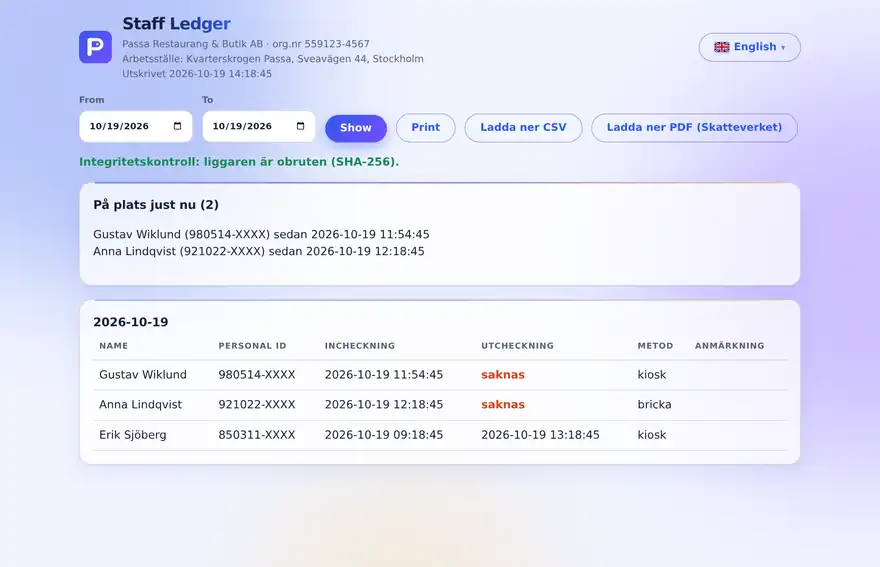
Open the inspection view
Go to the staff ledger view (also via the unit’s public ledger link).
- 2
Show today’s list
Pick the date – who worked and when is shown right away.
- 3
Export if asked
Hand over the data as a file if the inspector asks for it.
Tip
Practise once in peace and quiet: open the inspection view on your phone and find yesterday’s list. It takes under a minute.