OB for restaurants: everything to keep track of (and how it runs itself)
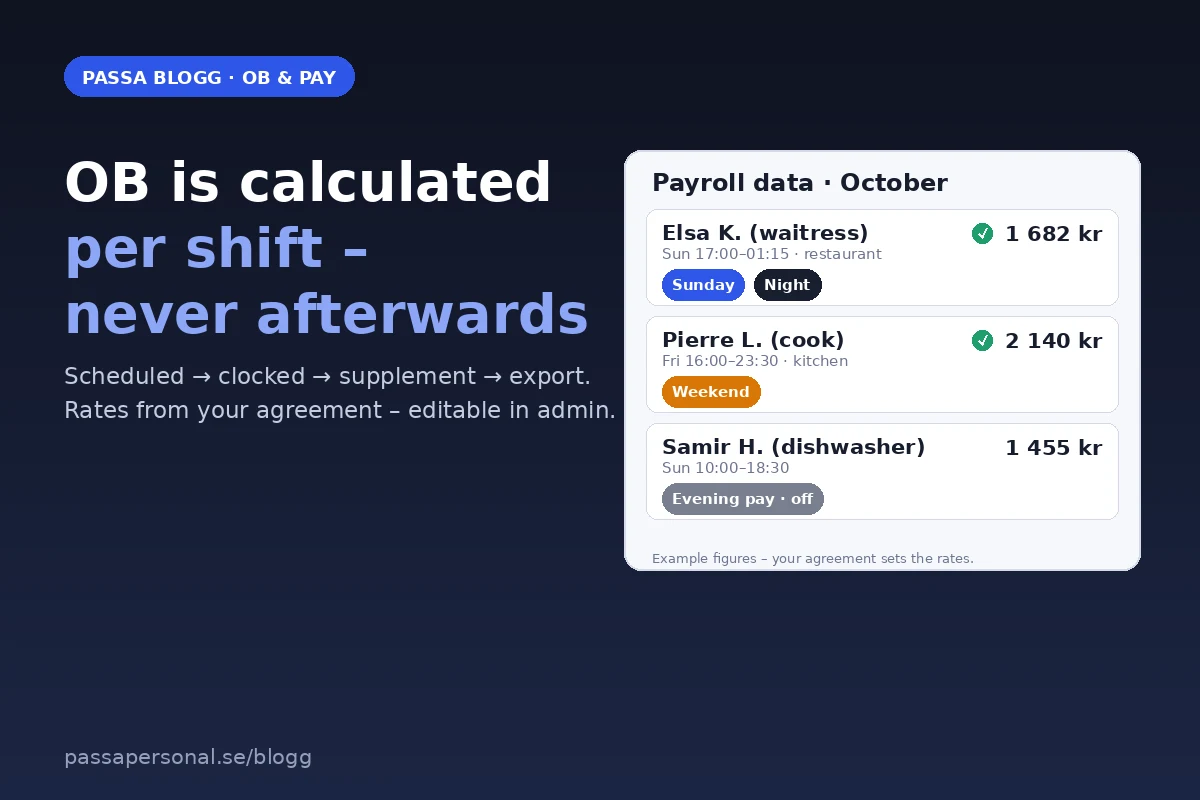
OB is the line on the payslip people argue about. Not because the amounts are large in themselves – but because nobody remembers who calculated them, and how. This guide walks through what OB actually is in your industry, why manual calculation almost always breaks, and how to get out of it. No promises we can’t keep: you look up the rates in your agreement text, because that is what applies.
OB isn’t one supplement – it’s several
Under the umbrella sit at least five supplements that often get mixed up:
- Evening supplement for scheduled evening work – the threshold and the level are set by the agreement, not by how late the guests stay.
- Night supplement for work during night hours, with its own boundaries for when night starts and ends.
- Sunday and public holiday pay – this is where most misses happen: Easter Monday and Midsummer’s Eve don’t look like a regular Sunday, and Christmas Eve follows its own rules.
- Short-notice changes – if the schedule changes with less notice than the agreement allows, compensation applies, even if the employee happily took the swap.
- On-call and stand-ins – whoever steps in on a Saturday evening should see it in the pay, not in a sandwich.
HRF or Handels – it matters
A restaurant covered by the HRF collective agreement has different routines for weekend pay and weekly rest than one covered by Handels. If you have no agreement at all, the employer’s own practice applies – and then it matters even more that it’s written in black and white, or every payroll period becomes a negotiation.
The percentages you find in your agreement text – they are adjusted in bargaining rounds and differ between industry agreements. That’s why we don’t publish any numbers here. Instead, a checklist: evening, night, Sunday, public holiday and short notice should each have their own rule in your system – not one merged “OB handling”. When the rules are separated, mistakes are easier to spot, and a fix in one category won’t accidentally recalculate the others.
Five mistakes that cost money (often after the fact)
- Calculate from the schedule, not from clocked time. OB follows the actual hours – the schedule is an expectation, the stamping is reality. The gap is where the argument starts.
- Mix up the night and evening boundaries. A 20:00–01:00 shift touches two supplement categories; the “all evening” Excel column is wrong every time.
- Forget short-notice compensation. Nine out of ten “just moving one hour” conversations end with someone getting the wrong pay.
- Treat Sunday like Saturday. Sunday shifts often carry a higher rate – but only if they touch the definition.
- Stop calculating when the schedule is published. OB changes with every move until the payroll data is sent. The calculation must re-run every time – not once.
This is what it looks like when it runs itself
The flow we built Passa for: schedule → QR check-in → automatic OB calculation → export.
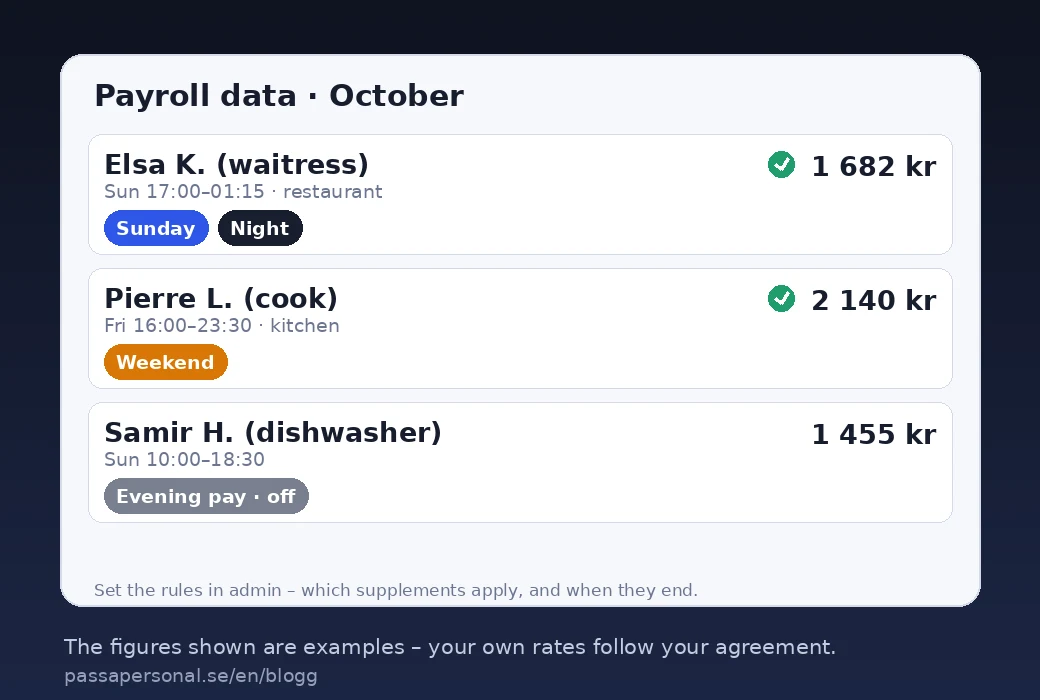
- Hours are counted from your actual shifts, not from a schedule someone forgot to update.
- Supplements are matched against your agreement configuration – rates and boundaries in one place, editable when the agreement changes.
- Each shift shows its supplement directly in the payroll data, so the employee can see why the pay looks the way it does. That’s where the conflict ends.
- Export goes via PAXml/SIE4 to Fortnox or Visma – same numbers, no retyping.
Common questions
Do I need a collective agreement to get OB? No – but if you have one, the agreement’s minimum levels apply. Without an agreement, your own rules must be documented, otherwise the outcome is arbitrary and hard to defend.
Who calculates OB – me or the system? If you do it manually every week, you have already lost the argument. Let the calculation follow the shift; you only decide on exceptions.
Does OB also apply to overtime? Overtime pay and OB are different things that can overlap – both should be included. That’s why “one average principle” won’t do.
How do I know your calculation matches my agreement? You set the rates and boundaries yourself in admin (we help during onboarding), and every payroll period shows its supplement rows. The amounts are traceable shift by shift – against your agreement text, not against a gut feeling.
Read more: setting the rules in admin
The help article How OB and deviations are calculated shows step by step where in admin you set your own boundaries – and the example page shows how the flow looks with your logo.