The schedule done in minutes
You approve a proposal instead of building one from scratch.
Scheduling, time clock, staff ledger and premium calculation in one flow. Built for evenings when someone calls in sick mid-service.
What everyday life looks like at most restaurants. Before Passa.
Restaurants have some of the most volatile schedules there are. Staffing needs to rise at lunch, fall in the afternoon and rise again in the evening. One person is a student and can only work certain days, another has children to pick up. Add evening premiums, tips to distribute and the Tax Agency staff ledger. And the schedule becomes an evening project that never really finishes.
Passa Personal starts from your opening hours instead of an empty grid. You enter when you are open, how much prep time you need and how many people should be on each shift. The system then proposes the whole week while watching the 11-hour daily rest rule, break windows and that nobody goes over 40 hours. When someone calls in sick you see directly who has the right skills, is free and is not already on overtime. A request goes out to those who can actually take the shift, and the first to reply gets it. No phone tree, no group chat nobody reads. Clock-ins happen on a tablet in the staff entrance with PIN, badge or QR. From there premiums, overtime and tips are calculated per hour, and the same data becomes both the staff ledger and the payroll file.
How everyday life usually changes when the schedule stops being an evening project.
You approve a proposal instead of building one from scratch.
It is built from real clock-ins, so it holds up at an unannounced inspection.
Evening and weekend supplements calculated per hour under the agreement. Not afterwards.
Everything in one system, without add-ons that show up on the invoice.
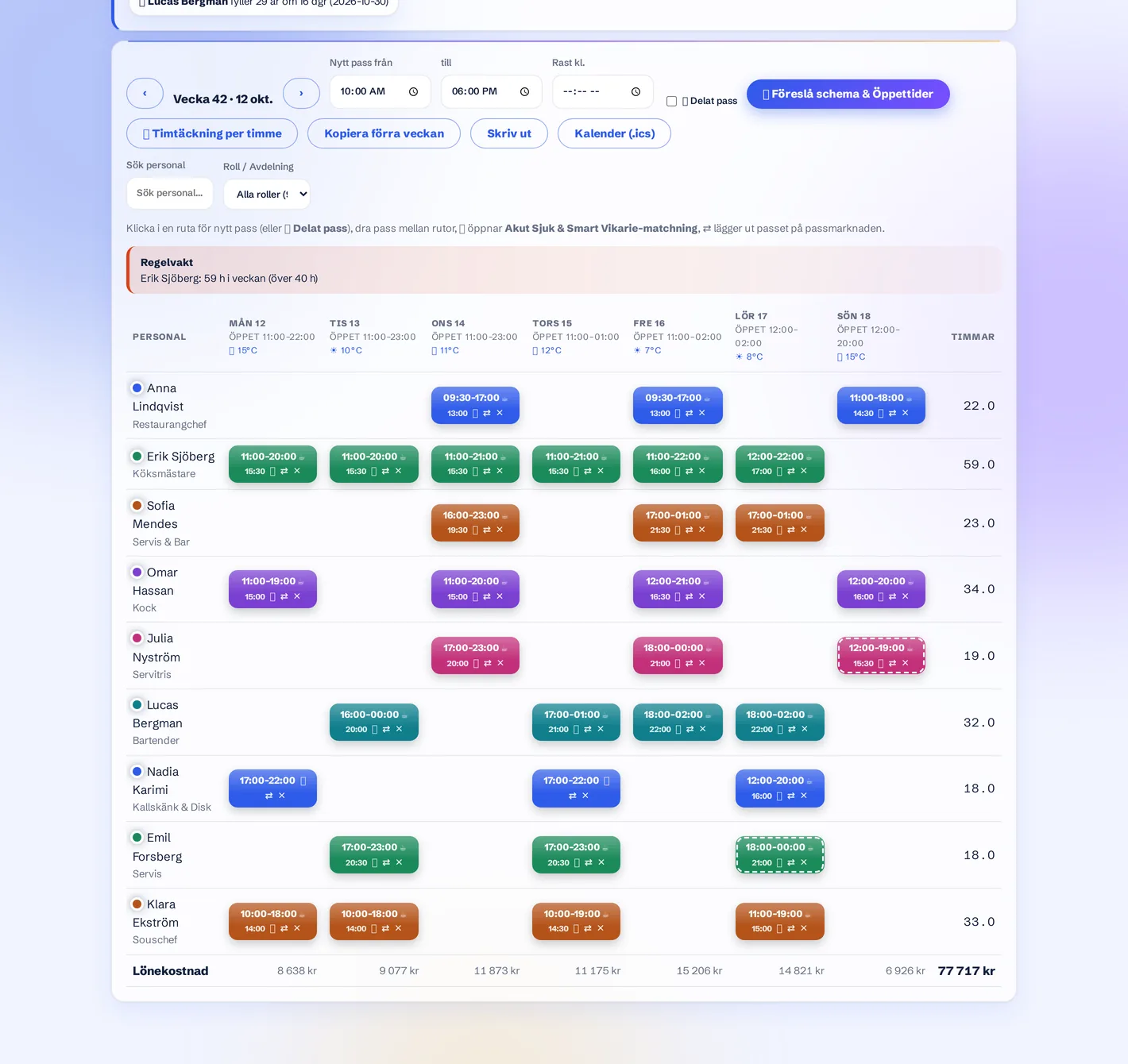
Opening, closing and prep time for each weekday. Done in five minutes.
The system builds the whole week from staffing needs, skills and the Swedish Working Hours Act.
Staff clock in. At the end of the period the payroll data is ready to export.
Yes. Premiums are calculated per hour under the agreement, and tips are distributed automatically per shift using rules you set.
The staff ledger is always current because it is built from real clock-ins. One tap gives you a PDF to show, with a traceable log of every correction.
Yes. Mixed employment types in the same view, with the correct premium agreement and tax table per person.
You approve a proposal and adjust what needs adjusting, instead of building the schedule from scratch every week.
Yes. Each restaurant gets its own schedule and its own staff ledger, and you switch between them in the same login.
See the whole overview. What is the same and what differs.
Read more →A small team should not need a big system. Schedule done in minutes.
Read more →Connect the till and see what each worked hour actually costs and earns.
Read more →Reception, housekeeping and kitchen in one schedule. With daily rest tracked.
Read more →Same system, different industry: staff scheduling for cafés · staff scheduling for shops · staff scheduling for hotels. See the live example with your own logo.
20 minutes, no obligations. We show the system with your opening hours.
Book a demo – 20 minutes